
Open Shop, then Codes
Launch the correct Beyond Nen experience
Use the official Roblox game page linked by this wiki.
Open the Shop and select Codes
The community board's current redemption image shows a Codes tab inside the Shop menu.
Paste a code and press Redeem
Keep its capitalization and punctuation. Check the game's response before trying the other code.
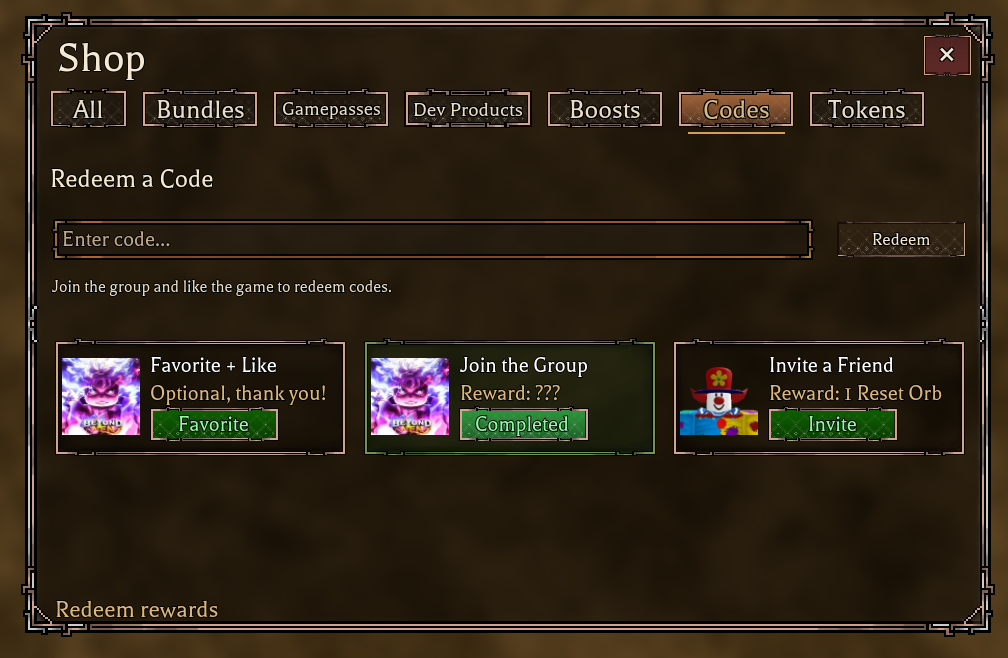
The screenshot also displays a message about joining the group and liking the game. If redemption is blocked, check the live prompt and the linked Roblox group. These steps are based on the board image, not a redemption performed for this guide.
Check the text and the game's response
Remove spaces before or after the code and keep the final !. Check whether your account has already redeemed it and whether the game displays another requirement. A code can expire after the source check, so the current game response takes priority over a published list.
No expired codes are listed on the Trello card at the check time. This does not establish that every previously published code still works.
Race, lineage, affinity and ability are separate rolls
The Spinning card describes four roll categories in the Customization Menu. Use the race, lineage and Nen tier list to compare their roles before choosing what to reroll. A high tier in one category does not replace a different part of your build.